Pixel Root Direct: Automatic Magisk Root from Matching Firmware
Root (Direct) turns an exact matching Pixel firmware package into a guided Magisk root job. Select the firmware, connect the phone and start the operation. GSM6 Pixel Tool Pro handles the supported extraction, identifies whether the build needs boot or init_boot, prepares the patched image and applies it to the device.
This method suits a technician who already has the correct firmware. If you prefer the tool to prepare the match from the connected phone’s current build, compare Root (LIVE). Both workflows are available from Main on the GSM6 Pixel Tool Pro page.
The convenience is reduced manual file handling. It does not make a mismatched package safe, and it does not override a device that is not allowed to unlock its bootloader.
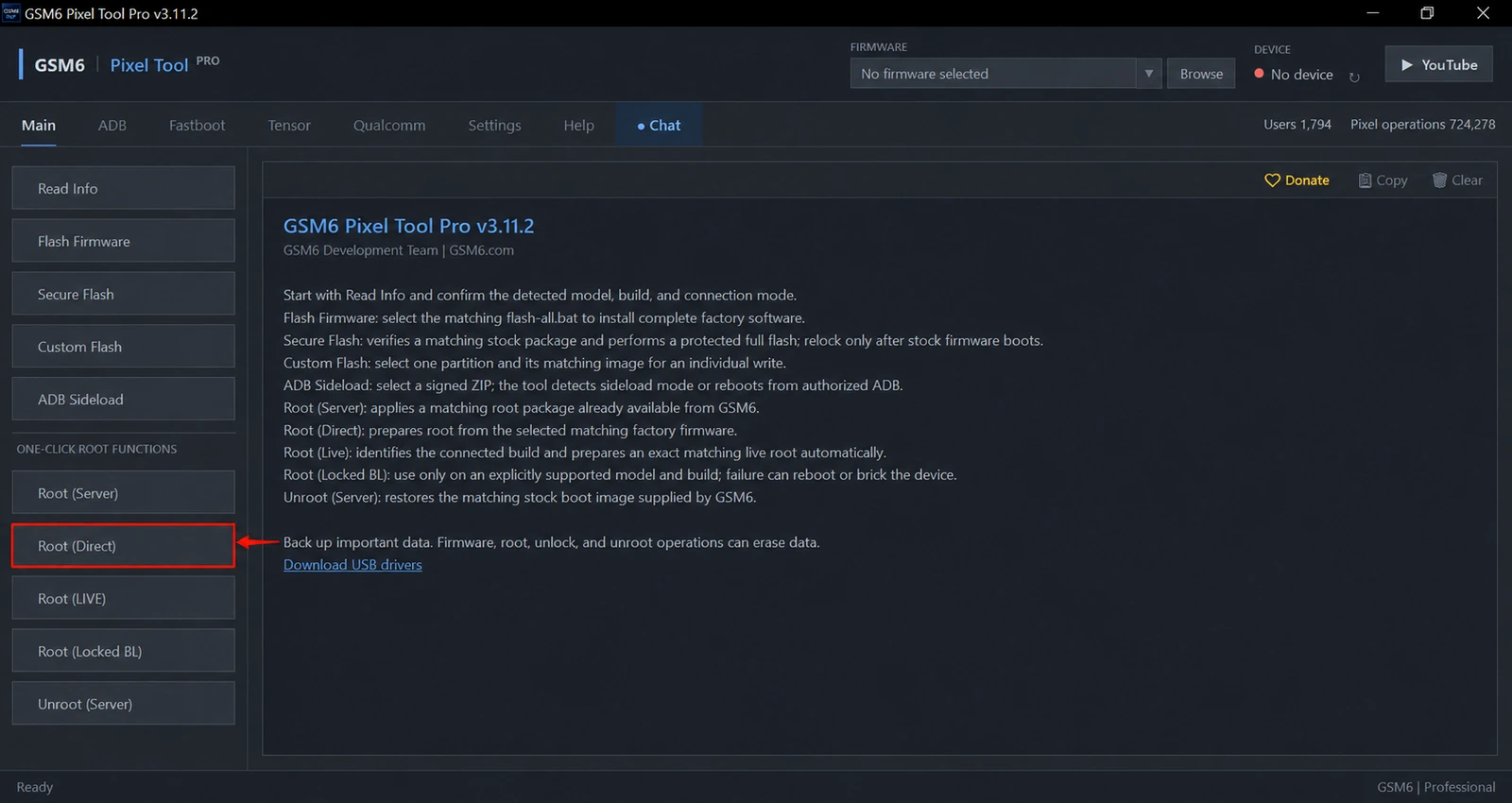
What the automated workflow handles
In a manual rooting job, a technician must keep track of the firmware package, correct image target, patching result and device being flashed. Root (Direct) brings those supported stages into one operation.
The user selects matching firmware rather than guessing a random prepatched image. The tool determines the supported boot-image target and prepares Magisk root for that device/build. It then guides the required device transition and flashing stages.
| Item | What the user does |
|---|---|
| Firmware | Supplies the exact compatible package |
| boot versus init_boot | Lets the supported tool detection decide |
| Manual image patching | Not required in the guided workflow |
| Bootloader confirmation | Accepts on the phone when legitimately permitted |
| Root verification | Checks the final tool result and the phone after boot |
For background on manual image selection, the existing Pixel Magisk root guide explains the exact-build principle. Magisk’s installation documentation is the primary reference for Magisk itself.
Firmware matching comes first
Record the model, codename and entire build string from Read Info. Compare them with the package you selected. A package for a different Pixel, carrier variation or firmware revision should not be treated as equivalent because its name looks familiar.
Fully extract the expected firmware source and use the selection method requested by the tool. Keep enough free storage for source files and generated resources. Avoid renaming unrelated images to make the expected file appear present.
If the package is unavailable, do not replace it with a nearby update. Use Live Root for an eligible live match or ask support about the exact build.
Requirements and data-loss warning
You need a signed-in GSM6 account, current tool release, authorized ADB connection, reliable USB cable and an eligible Pixel. Root (Direct) is a free operation after sign-in in the documented release; paid functions have separate entitlements.
Install the official Google USB driver when Windows detection is incomplete. The tool may move between Android and Fastboot during a job, so connection stability matters beyond the first screen.
The Root (Direct) confirmation warns that it erases device data. Save personal files and customer recovery information first. If bootloader unlocking is needed, the device must permit OEM Unlocking and the owner must authorize the change. The tool can help with an allowed unlock; it cannot turn a permanently restricted device into an unlockable one.
How to use Root (Direct)
- Back up the phone and record its complete installed profile.
- Obtain the matching firmware and prepare it as requested by the tool.
- Open GSM6 Pixel Tool Pro and sign in.
- Connect the phone, enable USB debugging and approve the computer.
- Select the matching firmware in the header selector.
- In Main, choose Root (Direct) and read the confirmation.
- Let the automatic image selection and preparation complete.
- Follow any required on-device bootloader confirmation and keep the cable connected.
- Wait for the final result, boot Android and verify root through the supported manager.
If the operation stops at a missing image or unsupported package, fix the package selection rather than moving files around until the error disappears. A clear failure is preferable to writing an incorrect image.
Generated files and Root (Server)
The confirmation also explains that generated stock and patched root resources are saved to GSM6 for future Root (Server) availability. The generated resource is associated with its matching device/build; it is not a universal root image for every Pixel.
A background transfer can depend on network availability. A successful local root does not by itself prove that another user’s tool can immediately find the new server resource. Always let the server workflow confirm the available exact match.
After root and when returning to stock
Test the functions needed for the repair before returning the device. Root-sensitive apps, device integrity and updates can behave differently after modification. Do not promise that root preserves banking or payment compatibility.
For supported partition jobs, see ADB Backup and Restore. For a return to a locked stock state, review Secure Bootloader Relock and use Secure Flash when the system needs complete restoration.
Do I choose boot.img or init_boot.img myself?
Not in the supported Root (Direct) workflow. The tool detects the required target from the matching firmware and device profile.
Can Root Direct unlock a restricted bootloader?
It can guide a normal permitted unlock, but the phone must allow OEM Unlocking. It does not bypass a device or carrier restriction.
Are generated root files made available to other users?
The tool queues matching generated resources for GSM6 server availability. Other jobs must still match the exact supported model/build.