Google USB Driver Download for Pixel: Windows 10/11 ADB Setup
Get the Google USB Driver from Android Developers when Windows needs a driver for your Pixel’s ADB connection. Use the official package rather than a repacked executable advertised as a universal root driver. If Windows already detects the phone correctly, installing multiple driver packages is not the next troubleshooting step.
This guide supports the Windows connection setup used by GSM6 Pixel Tool Pro. A working driver is the starting point for identifying a device; it does not root the phone, unlock its bootloader or activate paid features.
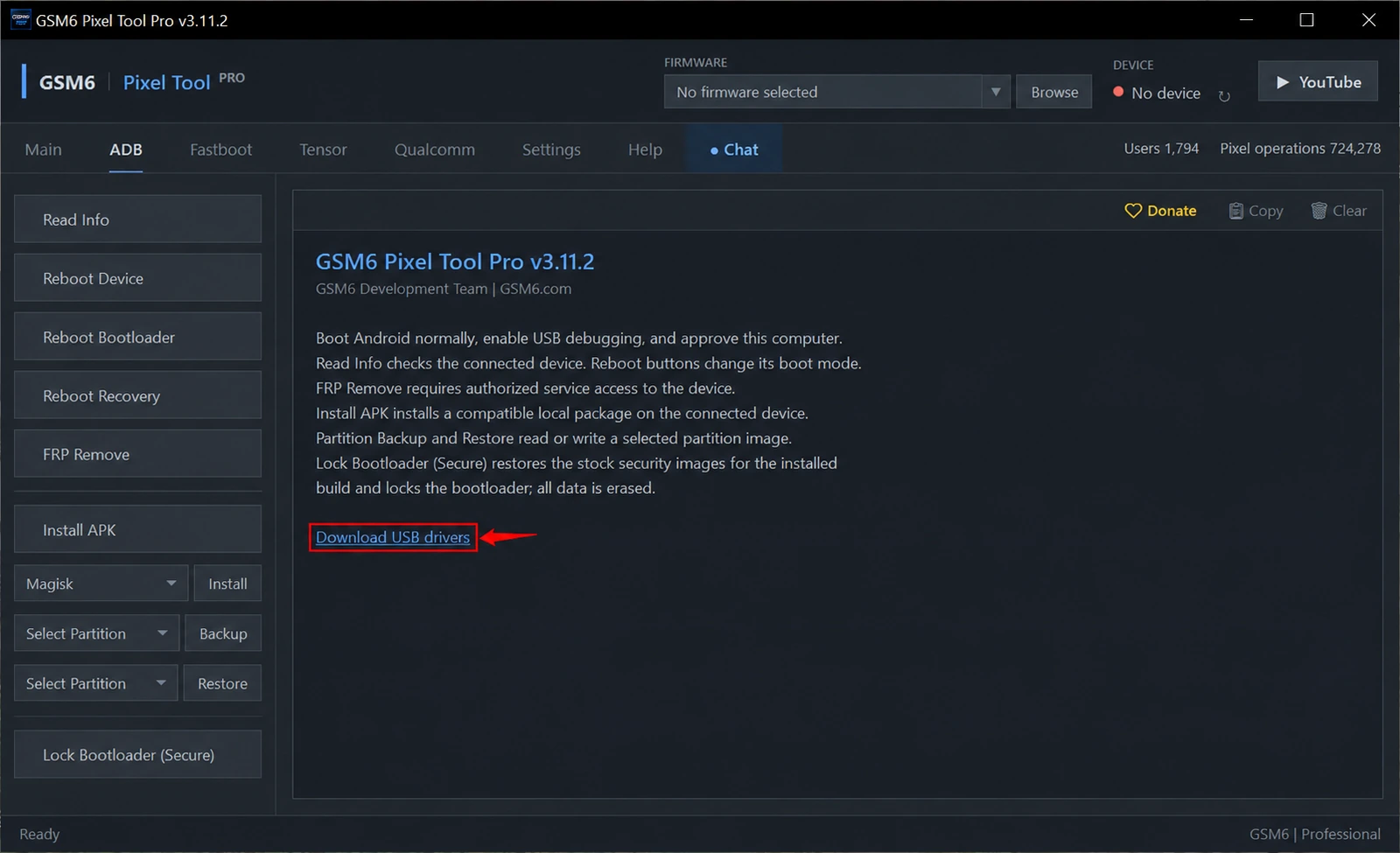
Official Google USB driver download
| Download option | Official source |
|---|---|
| Current driver page and license | Get the Google USB Driver |
| ZIP currently linked by that page | Google USB Driver r13 for Windows |
| Package management alternative | Android Studio → SDK Manager → SDK Tools → Google USB Driver |
The direct ZIP above was checked against the official page on 3 November 2026. Use the main download page to review the license and find any newer package. Google USB Driver is a Windows connection component; macOS and Linux do not use this Windows package.
Do not confuse Google USB Driver with Android SDK Platform-Tools. The driver connects Windows to the relevant USB interface. Platform-Tools contains ADB and Fastboot applications. GSM6 has its own tool workspace, so troubleshooting should start with detection rather than replacing its bundled files at random.
Install the driver on Windows 10 or Windows 11
Download and extract the official ZIP, then connect the Pixel in the mode you need. Open Windows Device Manager, select the relevant Android/unknown device and use Update driver → Browse my computer for drivers to point Windows at the extracted driver folder. Allow Windows to finish before reconnecting the tool.
If using Android Studio instead, install the Google USB Driver from SDK Tools and use that installed driver location. Keep the original driver files intact. Google’s OEM driver installation instructions provide the vendor’s installation reference.
Avoid installing another manufacturer’s driver on an unrelated USB device. If Windows rejects the driver, first confirm that the selected device and package are correct. Disabling Windows security protections is not a routine setup requirement.
Check Android and bootloader detection separately
A phone can be detected while Android is running and disappear when it reboots into the bootloader. That means you should inspect the new USB state, not assume the first driver check covered every stage.
For normal Android work, enable USB debugging, unlock the screen and accept the computer authorization prompt. In GSM6, use Read Info to confirm the actual model/build.
For a job that enters Fastboot, confirm detection again in that mode. Do not start root or firmware work until the required connection is stable. The Android Platform-Tools guide explains the related utilities if you need background.
Pixel not detected: check the symptom
| Symptom | First check |
|---|---|
| Phone charges but no device appears | Data-capable cable, direct USB port and Device Manager |
| Phone appears but ADB is unauthorized | Unlock the screen and approve this computer |
| Android detection works; bootloader does not | Driver state after the mode change |
| Connection repeatedly drops | Cable, port, hub, power and competing phone tools |
| Tool sees the phone but rejects the operation | Feature requirements and build support, not just the driver |
A paid-access error is an account issue. A missing root permission is a root issue. A supported-build refusal is a compatibility issue. Reinstalling USB drivers repeatedly will not resolve those conditions.
Use the driver with GSM6 Pixel operations
After detection works, choose the guide that matches the job:
- Live Root for stable builds and Live Root for beta builds.
- Root Direct from matching firmware.
- Temporary root on supported locked-bootloader builds.
- Secure Flash with a downloaded stock package.
- Secure Bootloader Relock.
- Rooted partition Backup/Restore.
- Tensor Network Unlock requirements.
Read the operation’s data-loss warning even when driver setup was harmless. A successful Read Info result does not make every flash, root or relock action safe for that build.
What to send support
Include the Windows version, tool version, phone model, connection mode and exact error. A Device Manager description is more useful than “the driver is installed.” Explain whether the phone appears while Android is running, in the bootloader, in neither state or intermittently.
Never include passwords or unrelated personal information in a public screenshot. If the device remains disconnected after a cable and driver check, use GSM6 Support before attempting any write operation.
Do I need a Samsung USB driver for my Pixel?
Use the appropriate Google USB Driver for a Pixel Windows connection. A Samsung driver is for its supported Samsung interfaces, not a substitute for checking the Pixel driver.
Does installing the driver root my phone?
No. The driver only supports communication. Root is a separate device operation with its own requirements.
Why does the phone vanish after rebooting to Fastboot?
Windows may see a different USB interface after the mode change. Check the driver and detection again in bootloader mode.