FRP Tools & Shortcuts Recover Android Device Access
Review intent links and third-party package references for authorized Android account recovery. Availability and compatibility depend on the exact device, build, security patch, and setup policy. Tools for technicians, repair shops, and legitimate device owners.
Intent Links for Authorized Recovery
Click any link below to open system apps, settings, or tools on your locked Android device. Use Copy button to save for offline use.
 🛒
🛒Galaxy Store
Request the Galaxy Store activity where Samsung policy permits
 🔍
🔍Google Quick Search Box
Request the Google search activity where setup policy permits
 ⚙️
⚙️Settings
Request Android Settings; availability varies by setup state
 📷
📷Qr Scan Activity
Request the setup-wizard QR scanner activity
 📱
📱Activity Manager
Request an installed activity manager; no access is guaranteed
 📱
📱Screen Smartlock
Request a Google Play services Smart Lock activity
 📱
📱Samsung My Files
Request Samsung My Files; installation rights are not implied
 ▶️
▶️Youtube
Request the installed YouTube application
 🌐
🌐Chrome
Request Chrome; browser access depends on setup policy
 🧮
🧮Calculator
Request Samsung Calculator where the activity is exported
 📱
📱Samsung Internet
Request Samsung Internet where setup policy permits
 📱
📱Alliance Shield
Request Alliance Shield if already installed and authorized
 ⚙️
⚙️Android Hidden Settings
Open a third-party store listing for a settings shortcut
🔐Login Account
Request a legacy Google account login activity
 🏠
🏠Home Launcher
Request Samsung's launcher activity where policy permits
 📞
📞Dialer Code Reference
Legacy dialer code; it does not guarantee or authorize ADB
 ⚙️
⚙️ADB Settings
Request development settings; USB debugging still requires authorization
 🔌
🔌USB Setting
Request Samsung USB settings where the activity exists
 📱
📱Samsung Test Menu
Request Samsung's hardware test menu where supported
 🔍
🔍Google Maps
Request the installed Google Maps application
 🔍
🔍Google Assistant
Request Google Assistant where setup policy permits
 📧
📧Gmail
Request the installed Gmail application
 📱
📱Samsung Touch ID
Request Android security settings; changes still require authorization
 📱
📱Samsung Secure Folder
Request Samsung Secure Folder settings if installed and permitted
 🔄
🔄Smart Switch App
Request Samsung Smart Switch if installed and permitted
📱Samsung Dialer Call
Request the Samsung dialer activity
 📱
📱Mi File Manager
Request Xiaomi File Manager; installation rights are not implied
 📱
📱Xiaomi ShareMe
Request Xiaomi ShareMe for authorized file transfer
 📱
📱Vivo EasyShare
Request Vivo EasyShare for authorized file transfer
 📱
📱Vivo Phone Clone
Request Vivo's cloning activity where installed
 📱
📱Xshare Mini
Request XShare Mini for authorized file transfer
 📱
📱OPPO Phone Clone
Request OPPO's backup/restore activity where installed
🚀 How to Use Intent Links
Directly opens the app/feature on your locked Android device if supported
Copy intent link to clipboard for use in Activity Launcher or other tools
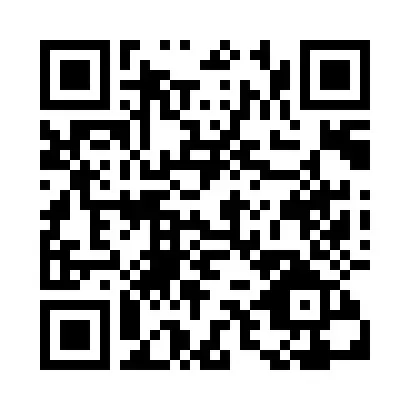
Use the QR code below for universal Chrome browser access on any device
📱 Scan QR Code to Open Chrome
Scan this QR code with any camera app on a locked Android device to open Chrome browser directly.
(Opens the linked page only when the current setup policy permits it)
APK References for Authorized FRP Recovery
These are third-party mirrors and historical package references. GSM6 has not authenticated every binary or verified compatibility with your device. Prefer the manufacturer's account-recovery path and inspect any archive before use.
Activity Launcher
Browse exported Android activities where device policy permits
Package Manager
Historical package-management utility; permissions vary by build
Package Disabler Pro
Third-party package-management utility; authorization is not verified
Android 5 GAM
Historical Google Account Manager package labeled for Android 5
Android 6 GAM
Historical Google Account Manager package labeled for Android 6
Android 8-9-10 GAM
Historical package labeled for Android 8–10; compatibility unverified
FRP Bypass
Historical third-party package; provenance and current compatibility unverified
FRP Android 7
Historical third-party package labeled for Android 7
QuickShortcutMaker
Create shortcuts to exported activities where Android permits
Notification Bar
Historical notification utility; setup-screen access is not guaranteed
Google Settings
Historical shortcut package; availability depends on device policy
Test DPC
Developer test package for device-policy behavior
Apex Launcher
Third-party launcher mirror; installation may be blocked during setup
Nova Launcher
Third-party launcher mirror; publisher provenance not established here
ES File Explorer
Historical file-manager mirror; signature and provenance require verification
Phone Clone
Phone-cloning package mirror; verify the publisher before use
File Commander
File-manager package mirror; installation rights vary by setup state
🔄Smart Switch Mobile
Smart Switch package mirror; prefer Samsung's official distribution
Download Instructions
Direct Download
“Download” opens the listed source. A reachable mirror does not establish publisher identity, file safety, or compatibility with a particular model and build.
Backup Links
“Backup” shows alternate mirrors. Compare the publisher, signature, hash, filename, and version before deciding whether a file is suitable for authorized testing.
Frequently Asked Questions
Common questions about Factory Reset Protection and recovery tools
What is FRP and why am I locked out?
FRP (Factory Reset Protection) is a security feature on Android phones that activates after a factory reset. It requires the original Google account credentials to prevent unauthorized access to stolen devices.
Are these tools and apps safe to use?
Public availability does not prove that an APK is authentic or safe. Prefer the device maker's account-recovery process. If you inspect a third-party archive, verify its publisher and signature, scan it independently, and use it only on a device you own or are authorized to service.
Do these methods work on all Android phones?
No. Availability depends on the exact model, Android build, security patch, setup state, and vendor policy. A listed Android version is historical package metadata, not proof that a recovery path still works.
Why is the QR code included?
The QR code opens a web destination only when the current setup flow and device policy allow it. It does not remove FRP or replace the original Google-account recovery process.
Can I download APKs on my computer first?
You can save a file for inspection, but a locked setup flow may block external storage, file managers, unknown-source installation, or the package itself. Do not treat transfer availability as proof of compatibility.
Do I need special software on my PC?
Requirements vary by exact device and authorized recovery route. ADB works only when the device exposes an authorized interface; an intent link or APK does not grant that authorization.
Need More Help?
📊 FRP Tools Overview
Important Legal & Ethical Information
Read this carefully before using any tools
🎯 Intended Purpose
All tools and shortcuts are for legitimate device recovery, educational research, and authorized repair purposes only. They help technicians and device owners regain access to their own Android devices.
⚖️ Legal Compliance
- • You must comply with all local laws and manufacturer warranties
- • Do not use tools on stolen devices or without owner permission
- • Always backup data before attempting any repair procedure
- • Some methods may void manufacturer warranties
🛡️ Safety & Responsibility
GSM6.com lists third-party references for authorized research and recovery. A listing does not authenticate a binary or establish compatibility. Verify provenance, signatures, and device-specific requirements before use. Use at your own risk and ensure you have proper authorization.
By using these tools, you acknowledge understanding and acceptance of these terms.
📧 Contact Legal Team