Google Pixel Network Unlock in 2026 - Complete Technician's Guide
Consumers and technicians managing Google Pixel devices often face carrier network locks when handsets are acquired through subsidized installment contracts from network operators such as AT&T, T-Mobile, or Verizon. When a device is carrier-locked, the baseband subsystem restricts cellular communication exclusively to SIM cards bearing designated Public Land Mobile Network (PLMN) identifiers.
Network unlocking requires a clear distinction between an official carrier entitlement and an Android application setting. Eligible owners should request the unlock from the originating carrier; service on another network still depends on hardware bands, provisioning, and device status.
Technical Fundamentals: Carrier Lock vs Bootloader Lock
It is essential to distinguish between cellular carrier locks and bootloader security locks on the Google Pixel platform:
| Lock Mechanism | Security Domain | Target Subsystem | Practical Outcome |
|---|---|---|---|
| Carrier (SIM) Lock | Telephony / RIL | Baseband NVRAM & OOBConfig | Restricts cellular connectivity to specific carrier PLMN profiles |
| Bootloader Lock | Android Verified Boot | Titan M2 / AVB Root of Trust | Prevents flashing unverified custom kernels, recoveries, and system images |
An official carrier unlock removes SIM restrictions without requiring an unlocked bootloader or modifying operating system binaries.
Related technical reading: How to Unlock the Bootloader on Google Pixel
Legal and Regulatory Framework for Carrier Unlocking
In the United States, carrier unlocking of consumer-owned mobile devices is governed by the Unlocking Consumer Choice and Wireless Competition Act and corresponding FCC regulatory agreements. Consumers have a clear legal entitlement to carrier unlocking under specific criteria:
| Eligible Criteria | Ineligible or Unlawful Scenarios |
|---|---|
| Handset is owned outright with all equipment installment plans satisfied | Device is reported lost, stolen, or placed on global GSMA blacklists |
| Minimum active network tenure fulfilled (typically 40 to 60 consecutive days) | Tampering with or flashing identity parameters on unowned or leased hardware |
| Device account is in good standing with no delinquent service balances | Attempting to circumvent enterprise MDM security policies without authorization |
Technical Methodologies: Official vs ADB AppOps Restriction
There are two primary technical avenues available to address carrier restrictions on Google Pixel handsets:
- Official Carrier Release (Recommended): The carrier verifies eligibility and provisions the unlock through its supported path. The implementation varies by carrier and is not established here as a universal Google certificate or modem-NV write.
- AppOps modification: Changes runtime permissions for an Android provisioning package. It does not grant carrier eligibility, change a server-side entitlement, or prove that a modem is unlocked.
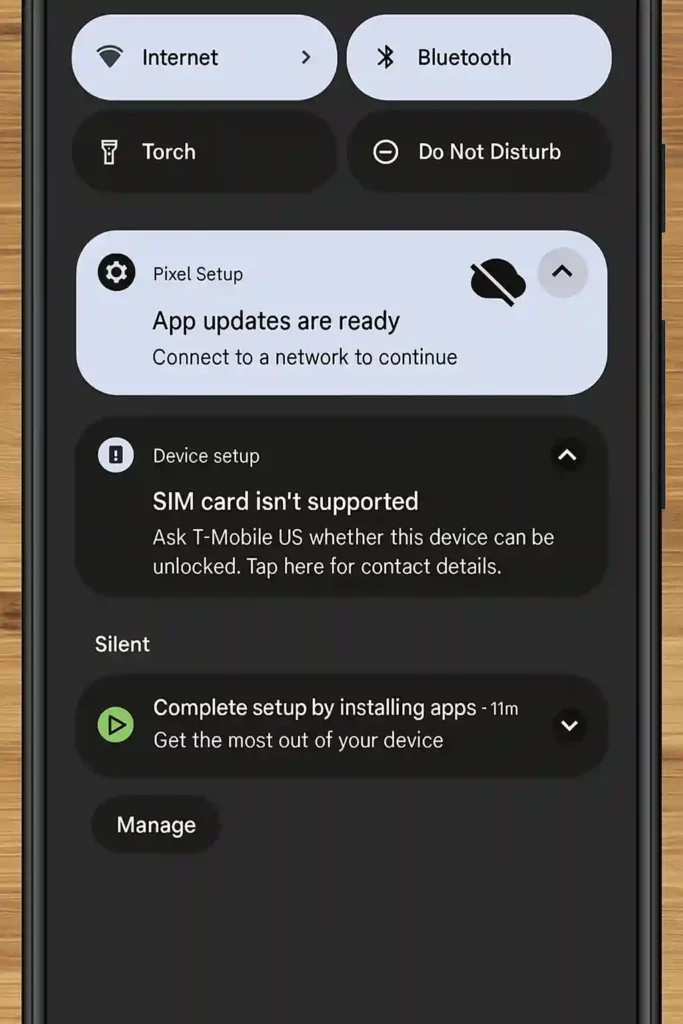
Above: Google Pixel undergoing carrier configuration diagnosis and network restriction removal.
Step-by-Step Carrier Unlocking Workflow
Follow these sequential steps to evaluate, request, or configure network unlock settings.
1. Verify Device Ownership and Network Unlock Eligibility
Prior to attempting any configuration change, verify the status of the device:
- Obtain the unique 15-digit IMEI by dialing
*#06#or navigating to Settings → About phone. - Check account status with the original carrier to confirm the financial balance is completely paid off.
- Verify that the device is not flagged on GSMA or carrier lost/stolen registries.
2. Submit an Official Carrier Unlock Request
The official carrier method is the supported path, subject to the carrier’s current eligibility and provisioning process:
- Contact your carrier’s customer service department or log into their online device unlock portal.
- Submit the device IMEI along with account verification credentials.
- Upon approval (typically within 24 to 72 business hours), insert a SIM card from another network and restart the Pixel while connected to Wi-Fi to receive the over-the-air activation ticket.
3. Understand Why AppOps Is Not an Official Unlock
The commands historically circulated for com.google.android.apps.work.oobconfig alter application background behavior. They can disrupt setup or provisioning and may be reset by an update. They are not a substitute for carrier approval. Do not erase a phone or remove accounts solely to attempt these commands.
4. Use ADB Only for Authorized Diagnostics
Enable the ADB command-line interface:
- Open Settings → About phone and tap Build number seven consecutive times until developer privileges are confirmed.
- Navigate to Settings → System → Developer options.
- Toggle USB Debugging to the active state.
- Connect the handset to your computer using a certified USB data cable and accept the RSA authorization prompt.
5. Historical AppOps Commands and Their Limits
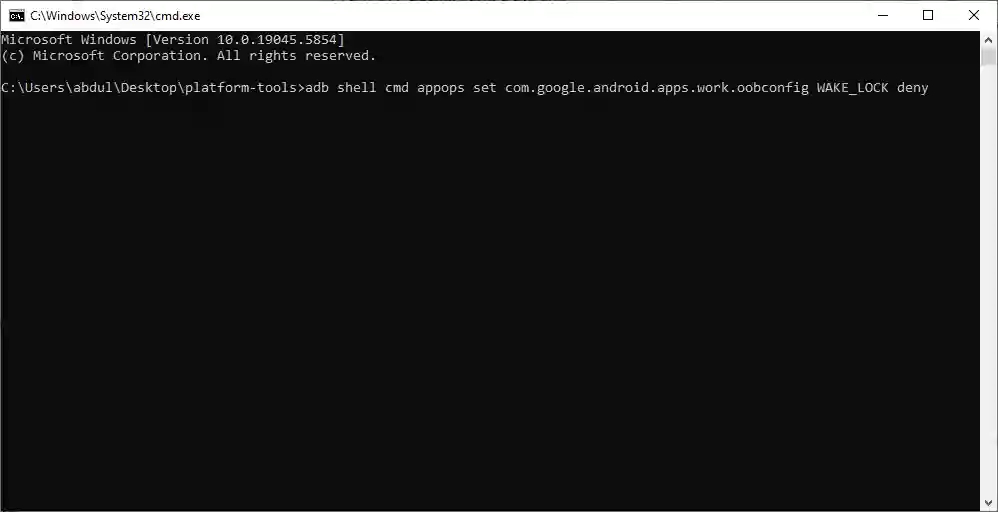
The following commands have circulated in technician workflows. They restrict an Android package but do not constitute an official carrier unlock. Record current values before any change, and do not use them to evade a carrier policy:
- Open Command Prompt or PowerShell in your Android platform-tools directory.
- Execute the following permission constraint commands sequentially:
adb shell cmd appops set com.google.android.apps.work.oobconfig WAKE_LOCK deny
adb shell cmd appops set com.google.android.apps.work.oobconfig RUN_IN_BACKGROUND deny
adb shell cmd appops set com.google.android.apps.work.oobconfig RUN_ANY_IN_BACKGROUND deny
adb shell cmd appops set com.google.android.apps.work.oobconfig START_FOREGROUND deny
adb shell cmd appops set com.google.android.apps.work.oobconfig ACCESS_RESTRICTED_SETTINGS deny
6. Verify an Official Unlock with a Compatible SIM
Validate cellular connectivity with the new carrier profile:
- Insert the secondary network SIM card into the SIM tray.
- Restart the Pixel handset.
- Confirm that the status bar displays cellular signal bars, verify incoming and outgoing calls connect, and check mobile data throughput.
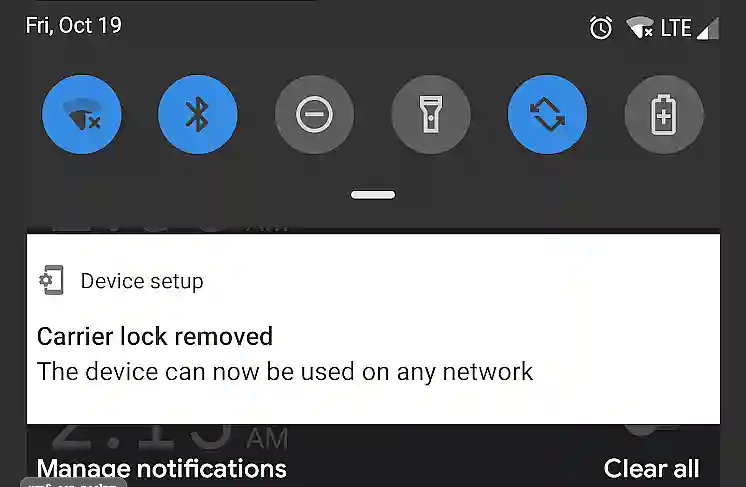
Above: Google Pixel successfully registered on a secondary mobile carrier network.
Operating System Update Maintenance
Do not build an update-maintenance process around repeated AppOps restrictions. After an official carrier approval, install updates normally. If service fails, confirm the carrier entitlement, APN/eSIM provisioning, hardware bands, and device status rather than repeatedly disabling setup services.
An operating-system update can reset application permissions, but it should not be presented as removing a legitimate carrier entitlement. Contact the originating carrier when an approved unlock is not recognized.
Carrier Provisioning and Regulatory Guidance
What is the difference between carrier unlocking and bootloader unlocking on a Google Pixel?
Carrier unlocking removes network SIM restrictions to allow calls and data on any compatible mobile carrier worldwide. Bootloader unlocking permits flashing custom partition images, root binaries, and alternative operating systems, and has no direct effect on cellular network locks.
Is it legal to carrier unlock my Google Pixel smartphone?
Under the Unlocking Consumer Choice and Wireless Competition Act in the United States and similar global statutes, consumers have the legal right to unlock mobile devices that they own outright, provided the device is not associated with unpaid financing or fraudulent activity.
How does the ADB AppOps configuration method work?
The ADB commands modify operation permissions for an Android provisioning package. They do not create carrier eligibility or prove that the modem’s network lock has been removed.
Will an official carrier unlock survive factory resets and OTA updates?
Carrier-approved unlocks are generally intended to survive resets and updates, but the carrier’s policy controls the entitlement. They do not guarantee compatibility with every network, frequency band, eSIM profile, or blacklist policy.
Can a carrier-locked Verizon Pixel bootloader be unlocked via ADB?
No. Verizon Google Pixel models ship with permanently cryptographically locked bootloaders that cannot be unlocked via fastboot flashing unlock commands, regardless of whether the cellular SIM lock has elapsed.