Pixel 6 Series Network Fix Tool: Scope, Risks, and Verification
This page records a third-party utility distributed as “Pixel 6 Series Network Fix Tool.” The available archive and interface do not establish that it repairs every network problem or boot failure. Those symptoms have different causes and require separate diagnostic paths.
The tool is not an official Google release. Support is unverified unless an exact Pixel 6, 6 Pro, or 6a model, Android build, tool binary, operation log, written partition, and post-reboot result are recorded together.
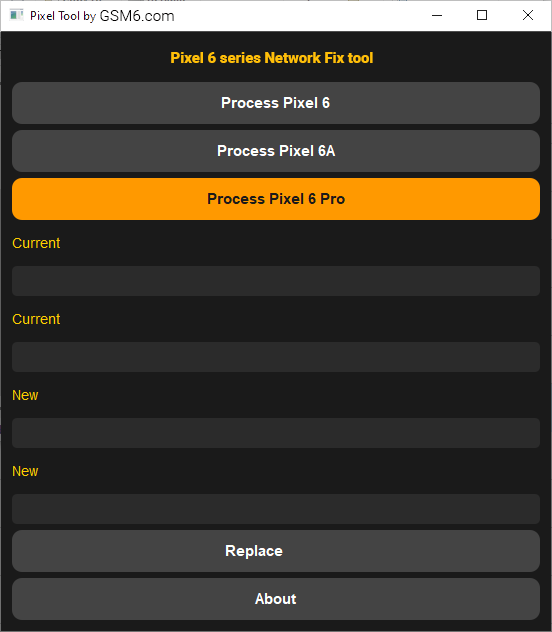
Do not combine unrelated symptoms
| Symptom | Information it provides | First diagnostic path |
|---|---|---|
| No service with a readable baseband and original IMEI | Modem identity is at least partly readable | Check SIM/eSIM, carrier provisioning, radio logs, and hardware |
| Unknown baseband | Modem firmware may not be loading | Compare the installed build with Google’s exact factory image |
| Zero or missing IMEI | Identity data is unreadable | Preserve same-device backups and stop speculative writes |
| Boot loop or verified-boot warning | The boot chain or partition set may be inconsistent | Capture fastboot state and restore a complete matched build |
| Wi-Fi failure | A separate subsystem may be involved | Do not treat it as proof of a devinfo fault |
A generated devinfo.img is not a general boot repair, and a booting phone is not proof that cellular calibration is correct.
Required test record
Before considering the tool, capture:
- model, codename, Android build, security patch, bootloader, active slot, and baseband;
- the archive source, size, SHA-256 hash, digital signature, and detection names;
- a backup of all available original-device data;
- the exact button selected and complete command output; and
- the state of boot, IMEI readability, baseband, SIM registration, calls, and data before and after.
The hash previously published for one archive identifies that file only. It does not establish authorship, safety, authenticity, or compatibility.
Security and data-loss boundary
Do not disable antivirus or create exclusions. If the publisher and binary cannot be independently authenticated, do not run it. A password-protected archive and a cloud mirror are distribution details, not provenance.
Unlocking a Pixel bootloader erases user data. Writing low-level partitions can prevent boot or radio initialization. Never flash an image from another handset, and never use another device’s IMEI or calibration data.
Controlled evaluation workflow
- Install current Android SDK Platform Tools and verify the connection with
fastboot devices. - Record
fastboot getvar productandfastboot getvar current-slot; save full output. - Compare the installed build with Google’s factory-image catalog.
- Inspect or monitor the utility so the commands and written files are known.
- Perform only the single intended operation on an owned, recoverable test device.
- Save the generated file hash and fastboot log.
- Cold-boot twice and run the outcome checklist below.
Do not switch active slots as a generic response to a boot loop. A slot change is safe only when the target slot is known to contain a complete, compatible build.
What counts as a verified result
A verified result records the original factory IMEI without publishing it, a present baseband, stable boot, SIM/eSIM registration, an outgoing call, mobile data, and persistence after another reboot. “Writing … OKAY” and a tool success dialog prove only that those individual interfaces returned success.
No persistence claim is made for an OTA, monthly update, factory reset, or later Android release until that exact transition has been tested.
Download record
The historical archive was mirrored on Google Drive and described as version 1.0, approximately 50 MB, with extraction password AM19x. These values have not been independently authenticated here. Preserve and compare a cryptographic hash before and after transfer; do not describe the mirror as verified solely because the download completes.
Video record
Hardware faults and missing original-device calibration require model-specific service diagnostics. This archive cannot be represented as a universal repair for those conditions.