Check a OnePlus Phone Region: IMEI Lookup and Hardware Limits
When shopping for second-hand or discounted OnePlus smartphones on secondary marketplaces, buyers frequently encounter devices advertised as “Global Version” that are actually Chinese domestic models. Disreputable vendors often import Chinese units, unlock the bootloader, flash global OxygenOS firmware over the native ColorOS build, and relock the system to mimic an authentic international handset.
Software and hardware region can differ on a converted phone. A OnePlus service lookup may provide useful factory or warranty information, but it is not independently sufficient to certify installed firmware, radio bands, warranty eligibility, or the handset’s complete history.
Why Regional Hardware Differences Matter
A converted Chinese unit may run English software smoothly on day one, but key hardware components and manufacturer protections cannot be changed with a firmware flash:
| Parameter | Authentic Global Variant | Converted Chinese Variant |
|---|---|---|
| Cellular RF Bands | Full support for regional LTE (B20, B28) and 5G bands | Optimized for Chinese carriers; frequently drops rural 4G/5G |
| Manufacturer Warranty | Valid through official regional service centers | Valid exclusively within mainland China |
| eSIM Capabilities | Supported on most global flagship models | Typically absent at the hardware motherboard level |
| OTA Firmware Delivery | Stable, automatic incremental updates from OnePlus | Updates may stall or fail due to regional signature conflicts |
| Resale Value | Standard secondary market depreciation | Significant discount due to limited carrier band coverage |
System properties can be changed, while a service lookup can also be unavailable or limited by region. Use multiple checks: exact model number, regulatory label, box/SIM-tray identifiers, supported bands, boot state, installed build, and the relevant regional OnePlus support record.
Step-by-Step IMEI Verification Guide
Follow these numbered steps to query OnePlus’s global records and interpret the factory results.
1. Retrieve your OnePlus IMEI number
To query the manufacturer database, you need your handset’s unique 15-digit IMEI number. You can find this through three reliable methods:
- System Settings: Navigate to Settings > About device > Status > IMEI.
- Phone Dialer: Open the dialer keypad and enter
*#06#to display the hardware dialog. - Physical Hardware: Check the laser engraving on the SIM card tray or the barcode label on the original retail packaging.
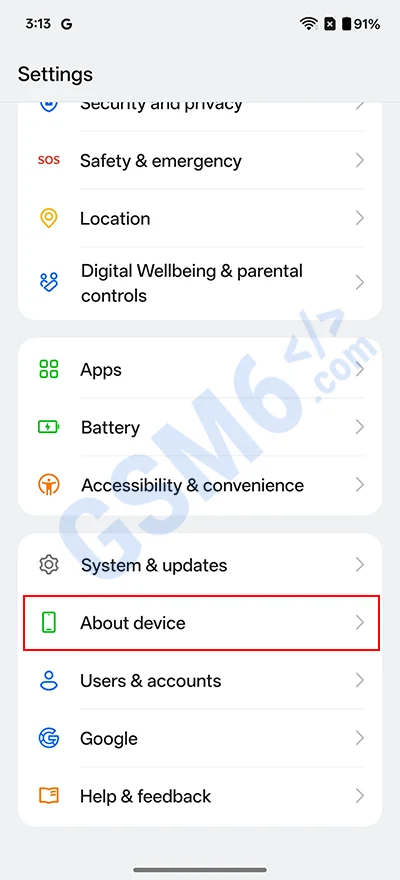
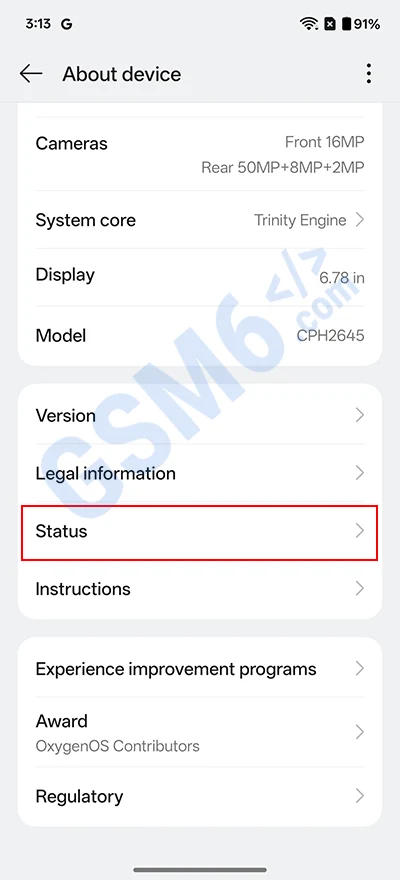
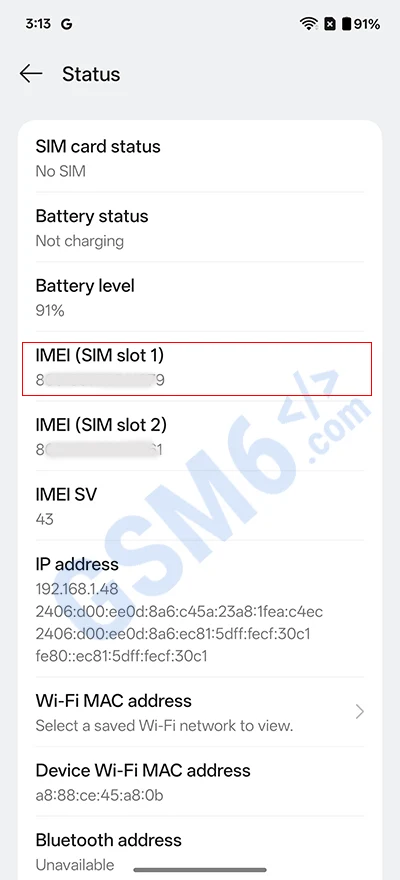
Enter an IMEI only on a verified OnePlus-owned regional page, avoid sharing it with sellers or unknown lookup sites, and close the result page when finished.
2. Navigate to the official OnePlus warranty portal
Using a desktop or mobile browser, visit the official OnePlus Customer Support Warranty Check portal.
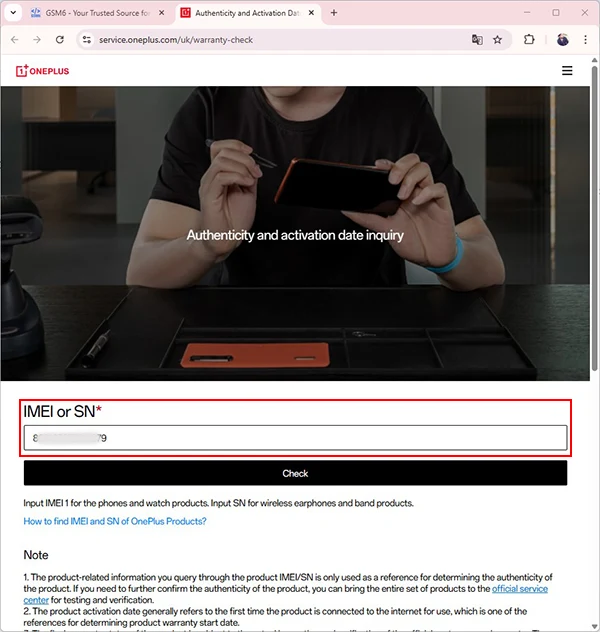
The service.oneplus.com root is a regional support entry point and may redirect or expose different tools by location. Confirm that your region offers a warranty/device lookup; do not assume one global form covers every handset.
3. Submit the IMEI and solve verification challenge
In the input field on the portal:
- Enter your 15-digit IMEI number.
- Complete the visual security CAPTCHA puzzle to verify your session.
- Click the Check or Submit button to fetch the factory hardware record.
4. Inspect device color designation in the results
Once the inquiry processes, the portal returns the factory profile of the handset. Focus directly on the Device Color entry.
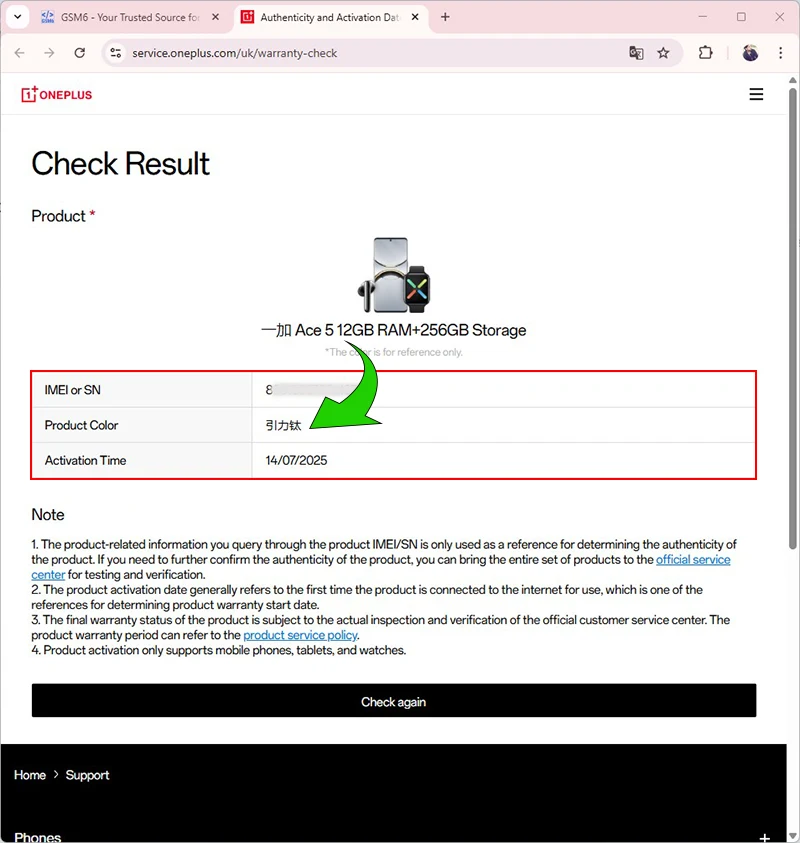
When a result includes a color or market label, treat its language as one clue rather than proof:
- Chinese characters: May indicate a mainland-market catalog record, but confirm the model and regulatory label before calling the phone converted.
- English text: Does not by itself prove a global hardware variant; regional support systems can localize product names.
Summary of Common Regional Color Identifiers
| Chinese Factory Name | Pinyin Transliteration | English Retail Equivalent | Origin Designation |
|---|---|---|---|
| 留白 | Liubai | Silk White | Mainland China Domestic |
| 万物青 | Wanwuqing | Emerald Green | Mainland China Domestic |
| 黑洞 | Heidong | Volcanic Black | Mainland China Domestic |
| 银翼 | Yinyi | Mirror Silver | Mainland China Domestic |
| 青空 | Qingkong | Glacial Sky | Mainland China Domestic |
| Volcanic Black | — | Volcanic Black | Authentic Global Model |
| Emerald Green | — | Emerald Green | Authentic Global Model |
| Silky Black | — | Silky Black | Authentic Global Model |
Pre-Purchase Checklist for Used Devices
Before completing a transaction with an online private seller, perform these diligence checks:
- Protect identifiers: Prefer checking the IMEI in person on a verified manufacturer or carrier service. Do not ask a seller to post a full IMEI publicly.
- Verify label consistency: Ensure the IMEI returned by dialing
*#06#matches the laser engraving on the SIM tray and the exterior box label. - Check bootloader lock status: During initial startup, confirm the device does not display an orange software warning banner stating “The bootloader is unlocked and software integrity cannot be guaranteed.”
- Inspect carrier reception: Insert your local carrier SIM and test for stable 4G LTE Advanced and 5G connectivity across both indoor and outdoor locations.
Video Demonstration
For an overview of hardware validation and IMEI inspection techniques, refer to the following walkthrough: