Broque Ramdisk Tool: Features, Checkm8 Scope, and Setup Guide
Broque Ramdisk Tool Pro is a Windows-based utility designed to load a customized ramdisk operating environment into the memory of Apple iOS devices vulnerable to the checkm8 bootROM exploit. Technicians use ramdisk utilities for low-level diagnostics, file system inspection, forgotten passcode maintenance on owned devices, and testing activation states on legacy hardware.
Because the tool leverages a hardware vulnerability in the SecureROM, its functionality is limited to specific Apple device generations. Devices must be serviced in accordance with applicable software licensing terms and proof of legitimate ownership.
Technical foundations: The iOS boot chain and checkm8
When an iPhone boots, it executes a cryptographically verified chain of trust: Boot ROM (SecureROM), Low-Level Bootloader (LLB), iBoot, and the iOS kernel. A ramdisk utility intercepts this boot process while the hardware is in Device Firmware Upgrade (DFU) mode:
- Checkm8 BootROM exploit: Exploits a use-after-free vulnerability in the USB software stack of the SecureROM on Apple A5 through A11 chips.
- Pwned DFU state: Disables signature enforcement in temporary memory, allowing unsigned boot components to load.
- Custom ramdisk environment: Injects a miniature, self-contained filesystem directly into volatile RAM without altering the device’s permanent NAND operating system.
| Hardware generation | Representative models | Checkm8 vulnerability | Compatible iOS versions |
|---|---|---|---|
| Apple A9 / A10 Fusion | iPhone 6s, 6s Plus, SE (1st gen), iPhone 7, 7 Plus | Vulnerable | iOS 15.x |
| Apple A11 Bionic | iPhone 8, iPhone 8 Plus, iPhone X | Vulnerable | iOS 15.x – 16.x |
| Apple A12 Bionic and newer | iPhone XR, XS, 11, 12, 13, 14, 15, 16 series | Not vulnerable (Patched in hardware) | Unsupported |
Devices running Apple A12 Bionic processors and newer contain physical hardware mitigations against checkm8 and cannot be booted via ramdisk utilities.

Broque Ramdisk Tool Pro graphical user interface showing hardware connection options.
Prerequisites and connection requirements
Before executing low-level DFU procedures on Windows:
- Operating system: Windows 11, 10, 8.1, or 7 with administrator access.
- Apple Mobile Device Support: Install the current Apple device-support software available for the Windows host from Apple or Microsoft’s supported distribution path.
- USB cable selection: Use a standard USB-A to Lightning cable connected directly to a rear USB 2.0 port. USB-C to Lightning cables frequently fail to execute the precise timing packets required for checkm8 initialization.
- Device identification: Note the device’s Electronic Chip Identifier (ECID) through iTunes or standard hardware enumeration tools.
Download Broque Ramdisk Tool package
The third-party archive below was retained from the earlier article. A Google Drive link does not authenticate the publisher, version, hash, licensing service, or present compatibility; inspect it as an archived package, not a current certified release.
| Specification | Technical details |
|---|---|
| Package label | Broque Ramdisk Tool Pro (version not independently authenticated) |
| Target OS | Windows 11, 10, 8.1, 7 (32-bit / 64-bit) |
| Archive file size | Approximately 150 MB |
| Archive password | 123 |
| Download link | Download Broque Ramdisk Tool (Google Drive) |
Notice: The article has not independently verified the current ECID-registration operator or policy. Do not send a device identifier until the recipient and privacy terms are known.
Step-by-step setup and ramdisk boot procedure
Follow these steps to configure the driver environment and initialize the ramdisk.
1. Extract the tool package
Download the ZIP archive and extract it using the password 123. Place the folder in an accessible location, such as C:\BroqueRamdisk.
2. Install Apple device support drivers
Install iTunes or the official Apple Mobile Device Support package. Verify in Windows Device Manager under Universal Serial Bus controllers that Apple Mobile Device USB Driver appears when an iOS device is connected in normal mode.
3. Check ECID registration status
Launch the application as administrator and connect your device in normal or recovery mode. The recorded client displays the hardware ECID and reports a registration requirement. The current operator and registration policy have not been independently confirmed.
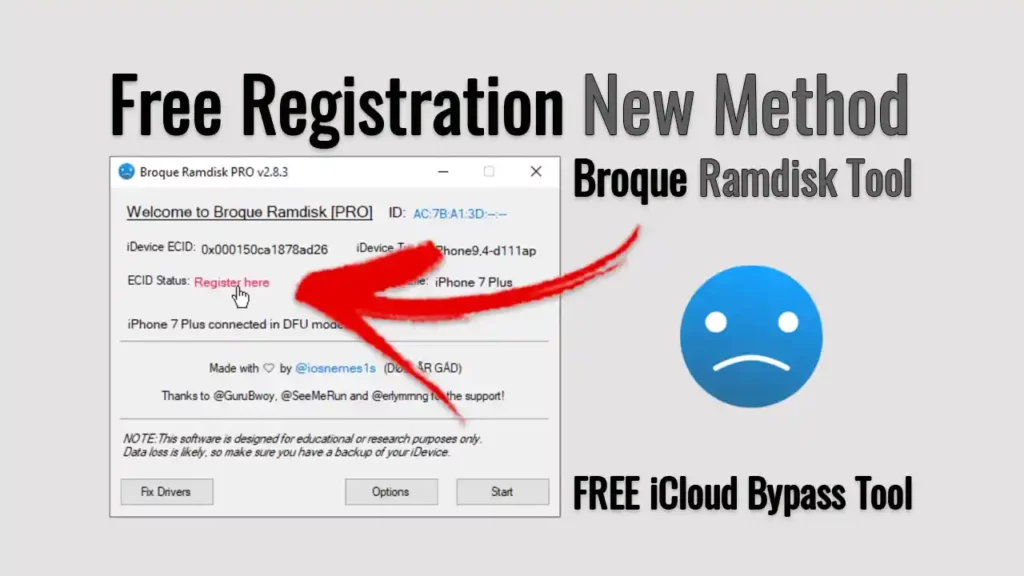
Verifying hardware identification and ECID registration status within the tool.
4. Enter DFU mode and boot ramdisk
- Follow the on-screen physical key instructions to place your iPhone into DFU mode:
- For iPhone 8 / X: Press Volume Up, then Volume Down, hold the Side button until the screen turns black, then hold Side + Volume Down for 5 seconds before releasing Side while continuing to hold Volume Down.
- The application will detect
Apple Mobile Device (DFU Mode)and execute the exploit payload. - Once pwned DFU is established, the tool uploads the custom boot files and mounts the ramdisk in device memory.
5. Execute device maintenance or diagnostic task
Select the desired diagnostic or recovery module from the interface. Keep the device steadily connected until the progress bar reaches 100% and the phone reboots automatically.
Important operational limitations
- Cellular baseband functions: Ramdisk activation bypasses performed on devices at the activation screen typically do not generate legitimate cellular activation tickets from Apple servers. Consequently, mobile calling, SMS, and carrier data services remain inoperable.
- Factory resets and updates: Any subsequent iOS update or device reset will return the device to its factory activation state.
- Data preservation: Ramdisk servicing routines wipe user partitions; they do not recover personal encrypted data without the original device passcode.
Video walkthrough
The retained video demonstrates a claimed iPhone 8/iOS 16.7.10 session; it does not certify the archive or other devices. An older 2024 ECID tutorial (Dh-gl5TQogY) was intentionally not re-embedded because its current registration instructions and operator could not be verified.
Conclusion and technical references
Broque Ramdisk Tool provides a method for studying and servicing legacy Apple hardware vulnerable to checkm8. For official Apple support and related tool reviews: